Best Online Poker Tools 2026: HUDs, Trackers, Solvers & Training Apps Reviewed
Poker tools have been around for years, quietly helping players gain a strategic edge against their opponents. Instead of old-school notebooks, players are gravitating towards specialized software to help them improve. Tools such as Equilab, Hold’em Manage 3, and GTOWizard that provide valuable insights via solved solutions or data analysis, which you can study in your own time or even during gameplay.
There are two main categories to consider:
Tracking software/HUDs technology
GTO solvers/Training applications
These online poker tools cater to all types of players, so you’ll be able to find something that improves your game, regardless of your skill level. In this guide, we’ll explore the most popular options in-depth, so you have a better idea of which tools match your skill and budget.
Why are Online Poker Tools Essential in 2026?
Poker is a deeply complex game that requires an incredible memory as well as an understanding of various aspects of math to be analyzed properly. Rather than trying to work everything out by hand, players have realized that using specialized software offers a shortcut; the software takes care of the busy work, allowing you to focus on the strategy. These tools can:
Accurately track and record hundreds of thousands of hands.
Instantly work out basic poker math like pot odds and equity.
Record and display data about your opponents’ play style.
Provide “solved” solutions to specific spots.
Provide a simulated training environment with real-time feedback.
Best Online Poker Tools: The Two Categories
All poker tools can fit into two broad categories: trackers and solvers. Trackers help you with on-table decision-making, whereas solvers help you learn the game away from the tables.
Tracking Software: Poker trackers like Hold’em Manager 3 and Pokertracker 4 record hand histories and track long-term statistics, letting you analyze your play over multiple sessions. You can use reports to drill down into specific spots and spot leaks that are costing you money at the tables. Many of the best trackers come with built-in HUDs that give you real-time statistics on how your opponents are playing.
GTO Solvers & Training Applications: This software runs millions of simulations to calculate game theory optimal strategies based on the ranges, stack sizes, and bet sizes you input. Some GTO tools have built-in training apps that allow you to practice spots against a computer opponent, helping you reinforce the spot.
Category
Primary Function
Best For
Price Range (typical)
Tracking Software & HUD technology
Hand history, results analysis & real-time stats
All levels
~ $40–$100 one-time or license
GTO Solvers / Training Applications UD Technology
Optimal strategy & skill development
Intermediate+
Free–$500+ (depends on tool/tier)
Beginner Tools
While the tools we’ve listed above are a great way to develop your poker knowledge and plug leaks in your play, they’re not the best starting point for beginners. If you’re new to the game, the tools listed below will help you learn and understand basic concepts like equity, range comparisons, and pot odds.
Equilab – Free
What it Does: Equilab is a free equity calculator that lets you compare the equities of hands and ranges.
How to Use It: This software is a great resource for understanding how certain hands perform against ranges. For example, you can see how a hand like 87s or 66 performs against your opponent’s SB preflop 3bet range. You can also add different boards to see how the equity changes across multiple run outs. The software comes pre-loaded with various opening and 3bet ranges, making it easy for you to learn the ropes as a beginner.
Flopzilla – $25 (One-Time License)
What it Does: Flopzilla is a range comparison tool that lets you see how frequently a range of hands hit the flop. The software breaks the range down into hand rankings, such as top pair, 2 pair+, flush draw, etc., and offers both heads-up and multiway equity calculations.
How to Use It: Intuiting how many strong or weak hands are in a range can be tough for a new player, and Slotozilla does a great job of breaking it down. You can use it to see how well either your or your opponent’s ranges perform on different boards. For example, you can see how many top pair+ hands you have on a flop of K82 or 865 when raising from UTG and compare it to your opponent’s BB calling range. By understanding the differences in range composition, you can build a stronger betting strategy.
Splitsuit – Free
What it Does: The Splitsuit website has a variety of poker calculators, including pot odds, river betting EV, bluffing EV, and more. You can access these calculators from your browser or download the spreadsheet pack.
How to Use It: If you’re struggling with a particular concept, such as pot odds or bluffing EV, we recommend recording some of your hands and testing yourself with the calculator. By using your real hands and testing yourself off the tables, you reinforce the math, making it easier to execute at the tables.
Tracking Software & HUDs: The Foundation of Data-Driven Poker
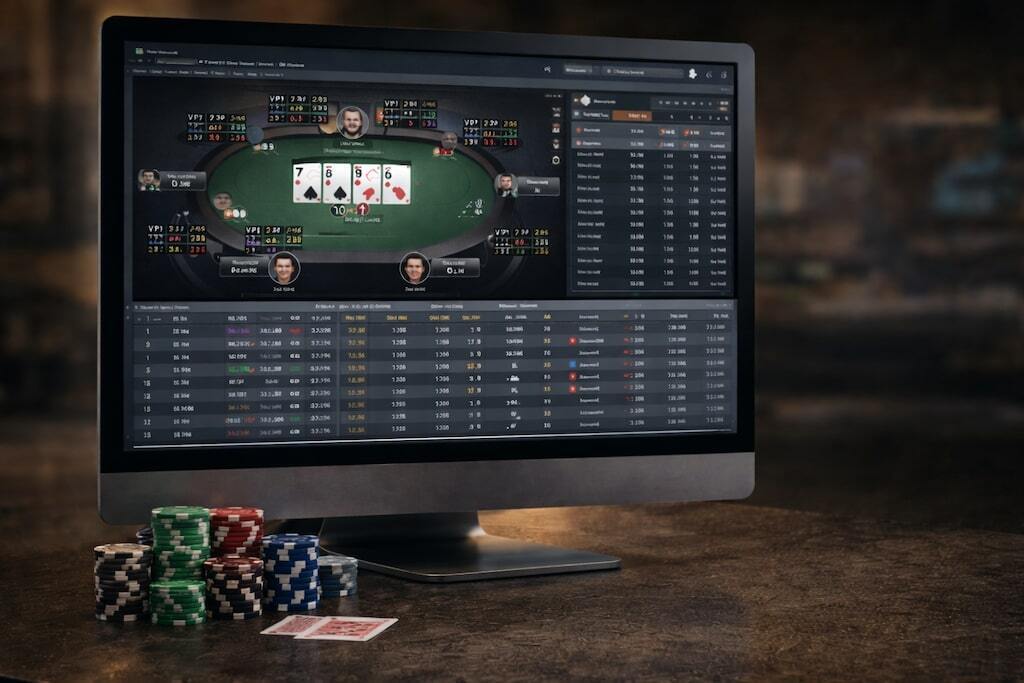
Tracking software should be in every poker player’s toolkit, as it records every hand you play, allowing you to track your wins and losses and analyze how you play. The software also tracks how your opponents play, displaying their tendencies in a heads up display or HUD, allowing you to adjust your strategy to exploit your opponents.
PokerTracker 4 is widely recognized as one of the best poker tracking programs on the market. The software costs as little as $64.99 for a low-stakes Hold’em/Omaha license up to $159.99 for an all-stakes Hold’em & Omaha license.
The software works with more than 25 sites, including Pokerstars and 888Poker. If you play on Ignition, which doesn’t save hand histories directly to your PC, you can buy the Ignition Hand Grabber for $24.99-$39.99, which allows you to run a HUD on the site.
Key Features
Leak Tracker – PT4 has built-in leak tracking software that allows you to compare how you play against other winning players. The program highlights certain areas for improvement, such as BB defense, c-bet frequency, and river bluffing frequency. Searching for leaks like these can be difficult if you don’t know what you’re looking for, so using this software is a great way to see what winning players are doing and how you can improve.
Note Tracker – This automated note-taking software allows you to keep tabs on how your opponents play without taking your focus away from the game. It includes variables like board cards, your hand, and your opponent’s cards, giving you the information you need to make accurate decisions in future hands.
HUD Integration – PT4 also includes a customizable HUD that provides real-time data on supported poker sites. The software updates quickly after each hand, giving you up-to-date information that you can use to make strategy adjustments at the tables. You can even customise the colours and size of your stats, making them easier to read while you play.
How to Use It To Improve
PT4’s Leak Tracker is one of the best ways to identify weaknesses in your game. After adding your database of hands, we recommend running this tool to identify the areas that need the most work. You can then run reports that filter for these situations, allowing you to analyze each spot and find areas for improvement.
Before you start playing, remember to set up the HUD and enable the Note Tracker. You can use the info gathered by Poker Tracker to make in-game adjustments and exploit how your opponents are playing.
Pros:
Useful data management
Customizable reporting and filtering
Integrated HUD on supported sites
Strong community support and documentation
Cons:
Steeper learning curve for beginners
Interface feels dated compared to some newer tools
The software isn’t automatically compatible with all sites and requires add-ons to work.
Hold’em Manager 3 is the second half of the traditional “Big 2” poker trackers, along with PokerTracker 4. The software has a much more friendly user interface and is easier to set up, making it more accessible to newer players. The software is priced at $65 for small-stakes Omaha or Hold’em tracking, up to $160 for all-stakes Hold’em and Omaha.
Key Features
Post Game Analysis – After each session, HEM3 offers more than 25 default reports that allow you to analyze your play. You can filter hands by position, pot size, and board texture, giving you an easy way to break down your session. It’s a great way to go over spots that were causing you problems you find while you play; if you struggled with SB vs BB spots, you can load up a report and quickly go through the hands in that configuration.
Visual Opponent Feedback – HEM3 uses a graphical HUD design that makes it easy for you to quickly identify how your opponents play. The different coloured rings represent VPIP, PFR, and postflop aggression, letting you quickly make adjustments without having to look in-depth at their stats.
Supported Sites – Hold’em Manager supports many of the most popular US-facing sites, including Pokerstars, 888Poker, and Ignition. This allows you to quickly set up the tracker and HUD, and start playing without additional software or a complicated set-up process.
How to Use It To Improve
Hold’em Manager is a great tool for post-game analysis. We recommend using the built-in reports to analyze difficult spots and find areas for improvement. The range analysis tool shows you your profit/loss rate with each hand, making it easier for you to find leaks in your range building.
Setting up the HUD is a key part of utilising HEM3 to its fullest, so take the time to customize your display before playing.
Pros:
Modern interface
Efficient data processing
Integrated HUD and hand replayer
Available in 14 languages
Cons:
Filters aren’t as comprehensive compared with PokerTracker 4
Poker Copilot is often recommended for players seeking tracking and HUD software that runs smoothly on both macOS and Windows. Pricing starts at $29 for microstakes games (tournaments up to $10 and 10NL cash games) up to $105 for the all-stakes edition. The software comes with a 14-day free trial
Key Features
Leak Detector – Copilot offers a dedicated leak detector for both tournament and cash game play, taking into account factors such as positional awareness and blind stealing, as well as how you play certain hands, such as pocket pairs and suited connectors. While it’s not as in-depth as the PT4 leak detector, it’s a great starting point for beginners who are struggling with the basics.
Device Compatibility – The software was designed with strong macOS support while also offering a Windows version. This makes it stand out from most poker trackers, which are Windows-focused and can experience issues when being run on a Mac device.
AI Hand Analysis – This tool is a great way for tournament players to conduct an in-depth analysis of how you played the hand and explore alternate lines that you could have taken. You get feedback on the decisions you make, as well as the reasoning behind alternative options.
How to Use It To Improve
Based on our testing, Poker Copilot is best for beginners who are looking to plug leaks in their game. The Leak Detector is great for identifying basic mistakes, such as playing too many hands from certain positions or not stealing the blinds enough. The reports make it easy for you to analyze these hands and improve the way you play. For example, if the software says that you raise too many hands from UTG in a 6-handed game, you can filter for spots where you raise from UTG and look at each hand individually.
Pros:
Strong macOS integration.
Intuitive, user-friendly interface.
Great leak analysis options for beginners.
Cons:
The AI Hand Analysis feature requires a SharkScope subscription, which costs $18 per month.
The software has fewer filtering and stat options than PT4 or HEM3.
One of the most modern poker hand trackers, Hand2Note is popular thanks to its sleek, intuitive design, and its in-depth analysis tools. The software supports tracking and HUDs for many of the top poker sites, including GGPoker, 888Poker, BetOnline, and Pokerstars. The low-stakes license ($22 tournaments/25NL and lower) costs $15.99 per month, while the Pro license costs $39 per month.
Key Features
Smart Reports – When you choose a spot to review in Hand2Note, the software automatically changes the stats it displayed based on what’s most relevant to the situation. For example, for preflop spots, it will display stats like VPIP and PFR, but it’ll change to stats like Postflop Aggression and Raise vs. Cbet percentage when looking at a flop check/raise spot. This makes it easier for you to analyze the hand and see what adjustments you can make.
Multi-Street Analysis – The Hand2Note reports offer a unique feature that lets you analyze the profitability of your next actions. For example, if you load a hand with a preflop raise, the next actions tab at the bottom of the screen will show you possible next actions, such as 3bet, 4bet, flop cbet, and missed flop cbet. It displays the profitability of these actions, as well as your typical range taken from previous scenarios, giving you a more holistic understanding of your strategy. If you see that preflop 3bets are highly profitable, you can adjust your range to exploit the weakness in the player pool.
Dynamic HUD – Hand2Note has an easy-to-use HUD platform that makes it easy for you to pick out important stats during each hand. The HUD changes the stats it displays based on each street, eliminating useless info and showing you the stats that are most relevant to your current decision. The HUD is fully customisable and offers thousands of stats and pop-up options, giving you complete control over the info you see in-game.
How to Use It To Improve
One of Hand2Note’s best features is its Smart Reports, which make it easier for you to analyze specific spots. We’ve found that the best way to improve your game with Hand2Note is to find situations that you’re not comfortable with, such as facing a flop check-raise, and using Smart Reports to learn more about how you play the spot.
The stats displayed on the report will automatically feature the statistics that are most relevant to the spot, giving you an immediate area to focus on. By analyzing your stats and how your opponents play similar spots using Multi-Player Reports, you can identify where you’re going wrong and develop new strategies that you can use during your next session.
Pros:
The platform is user-friendly and is a great starting point for beginners.
You can generate reports based on factors such as preflop position, hand strength, and pot size, giving you an easy way to analyze specific situations and find leaks.
The software offers an integrated hand replayer.
Cons:
The software lacks a dedicated Leak Finder found on other platforms.
The subscription cost must be paid yearly rather than as a one-time fee.
Software
Price
Complexity
Top Feature
Best For
PokerTracker 4
$64.99-$159.99
Intermediate
Leak Tracker
Experienced online players
Hold’em Manager 3
$65-$160
Intermediate
Post Game Analysis
Regular players of Hold’em and Omaha
Poker Copilot
$29-$105
Beginner
Leak Detector
Players starting out using HUDs
Hand2Note
$15.99-$39 per month (paid yearly)
Beginner
Dynamic HUD
New players who want accessible HUD and tracking software
Free Tracking Options for Beginners
For new players, we understand that budget constraints can be a concern. So, to make things easier, we’ve scoured the net for low-cost or free tracking-related software options, which you can find below.
FPDB (Free Poker Database): An open-source project that offers basic hand tracking functions for Holdem, Omaha, Stud, Razz and Draw Games, as well as a built-in HUD.
Free Trials of Commercial Trackers: Tools like Hand2Note, Poker Copilot, and others offer free trial periods, giving you full or near-full functionality for a limited time before you commit to a purchase.
Site-Built Tools and Hand Histories: Some poker sites, such as GGPoker, provide basic built-in HUD stats and downloadable histories that can be manually reviewed or imported into free tools.
Setting Up Your HUD
Using a heads up display is one of the best ways to make in-game adjustments and exploit your opponents. However, your HUD is only as good as the stats you use, and given the variety of options, it’s easy to get overwhelmed.
The most common mistakes when customizing your HUD are adding irrelevant stats and adding too many stats. You want your HUD to be simple and easily readable in-game; if you’re having to consult a chart to understand what you’re looking at, you’ve made it too complicated! Stick to stats that allow you to make adjustments based on common spots; your opponent’s flop c-bet percentage is useful to know, but their river 3bet percentage is unlikely to be useful.
To help you get started, we’ve listed the most important stats that should be on every HUD:
Number of Hands
VPIP
PFR
Steal %
3bet
Fold to 3bet
Flop Cbet
Fold to Flop Cbet
Turn Cbet
River Cbet
Aggression Factor
WWSF %
When using these stats to make adjustments, it’s important to consider the sample size that you have on your opponent. The more hands you’ve played against them, the more trustworthy your HUD stats are – this is why we recommend that you include “Number of Hands” as part of your HUD.
Different stats become reliable faster than others based on the frequency that they’re measured. For example, VPIP and PFR stats usually start to take shape after 20-30 hands, but stats like river cbet percentage can take hundreds of hands before they become reliable.
Before you make an exploitative adjustment, make sure you check your sample size. Making an adjustment based on limited information is a mistake, and is more likely to make you vulnerable than it is to help you take advantage of your opponent.
GTO Solvers and Training Tools
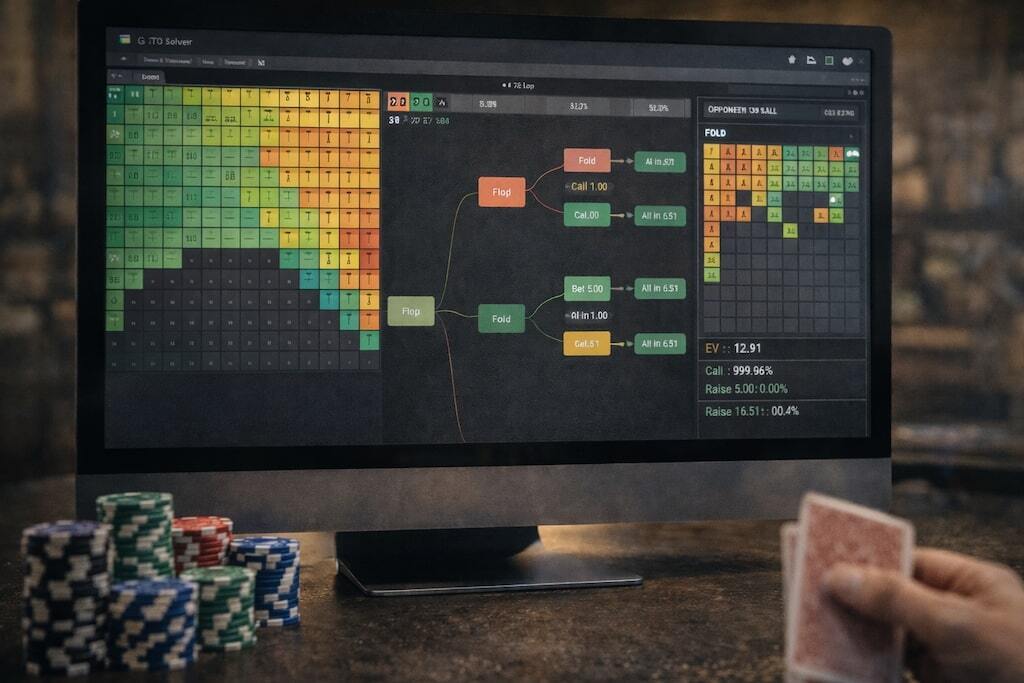
Game Theory Optimal (GTO) strategy has changed how players learn and think about poker. Solvers take inputs, such as preflop ranges, possible bet sizes, and stack sizes, then run millions of simulations to reach the Nash Equilibrium, giving you an unexploitable strategy for that spot. They’re incredibly useful for understanding the theoretical approach to common situations, but are much less intuitive than poker trackers and require a strong understanding of poker to be used effectively.
Reading and interpreting GTO reports can be difficult if you don’t know what you’re looking at, so some developers have paired their solvers with a training tool. These programs allow you to practice specific situations against a computer using a GTO strategy, giving you feedback on how you play and helping you build an intuitive feeling for the spots as they come up in your games.
PioSOLVER is one of the earliest widely adopted GTO solvers and remains a powerful tool for advanced players. The cheapest license (PioSOLVER Pro) costs a one-time fee of €450, while the Edge license costs €800. You can upgrade to the Edge license after purchasing a Pro license.
Key Features
Node Locking – While solvers like PioSOLVER output optimal ranges based on your inputs, they’re not always useful for analyzing how to play against humans. For example, a solver may bet a certain hand 42% of the time on the flop, but you know that in reality it will be bet 100% of the time, as humans have a tendency to simplify our strategies. In such a spot, you can “node lock” the hand to be bet 100% of the time and re-run the simulation. This provides you with a more accurate strategy based on how you and your opponents are likely to play, giving you more of an edge in your games.
Aggregation Reports – One of the downsides of solvers is that you can only analyze one spot at a time, which can take minutes to generate. PioSOLVER addresses this issue by featuring aggregation reports, which allow you to look at the strategies of the two ranges on a variety of different board textures. These reports are perfect for developing strategies with narrow, easy-to-remember ranges, such as 3bet or 4bet pots.
Fully Customizable Design – PioSOLVER allows you to fully customize the viewing experience, letting you change how strategies are displayed, how dead hands are shown, whether results are shown as a bb amount or the percentage of the pot, and more. This lets you change the software based on your preferences, making it easier for you to understand during analysis.
How to Use It To Improve
PioSOLVER is an advanced GTO solver that’s best used for in-depth analysis on specific Hold’em spots and extrapolating the results into your wider strategy. After inputting your ranges and bet size parameters, the solver will output an unexploitable strategy for both hands.
The key takeaways from PioSOLVER outputs aren’t specific actions and bet sizes, like that you should bet KJo 52% of the time for 24% pot on a Q84r flop as the preflop 3bettor. Instead, you should look at how the solver creates a strategy for your entire range. Understanding how your range is supposed to play in a specific spot (frequent check, frequent small bet, always small bet, etc.) will make it easier for you to execute GTO-adjacent strategies at the tables.
Pros:
High precision in calculations
Deep customization of trees and ranges
Widely used and supported by many training materials
Cons:
Takes time to learn
Requires a desktop and decent hardware for large trees
MonkerSolver is best known as a Pot- Limit Omaha solver while supporting multi-way hands in No-Limit Hold’em. The software has a one-time license fee of €499 ($580), which gives you access to the full functionality of the solver.
Key Features
PLO Solver – PLO games are generally considered softer than NLHE games as solved solutions aren’t as easily accessible. Getting access to a PLO solver such as Monker puts you at a significant advantage, as you’ll get a better understanding of the theory behind each spot. Learning how to play different categories of hands across multilpe board textures will also help you identify weaknesses in your opponents’ games, giving you the opportunity to make adjustments and increase your win rate.
Multi-way Hold’em Simulations – Almost all No Limit Hold’em solvers limit the simulation to two players, as this makes it easier to solve. However, in real life, hands often go multi-way, so it’s important to understand the theory of how these spots are played. Monker software offers unexploitable strategies for multi-way hands, helping you understand how you should adjust from your standard heads-up ranges. For example, you may always cbet a board like AK5r as the preflop raiser, but with three players in the hand, you may need to check more of your showndownable hands.
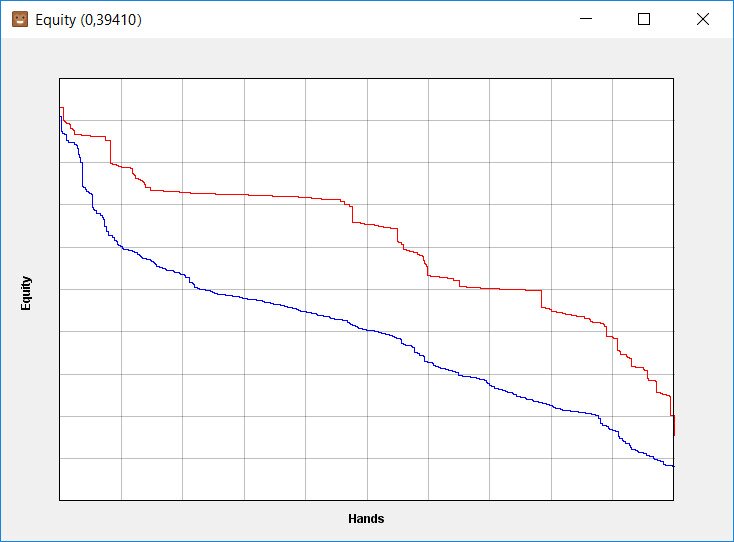
Equity Graphs – In the Hand Viewer, MonkerSolver displays an equity chart that shows the difference in equities between different parts of a player’s range. In the example below, you can see how one range quickly drops below 50%, whereas the other player’s equity stays consistently high. This means that the second player has a stronger overall range, which they can leverage in their betting strategy.
How to Use It To Improve
The way you use MonkerSolver will vary depending on whether you’re a PLO or a NLHE player. PLO players can use the software to get a theoretical understanding of how to play common spots, such as BTN vs BB, SB vs BB, 3bet pots, etc. By looking at the theoretical solutions, you can create heuristics for certain bunches of hands, allowing you to execute a more consistent strategy at the tables.
NLHE players can use Monker to better understand how to play multi-way spots. The addition of an extra player can significantly change how you should play your range, even in advantageous spots. Understanding exactly how much you should increase or decrease your betting frequency in certain situations will help you plug leaks and improve your win rate.
Pros:
Abstraction techniques allow the software to solve more complex game trees.
You only need 8GB of RAM to run the solver.
You can build custom trees and save ranges to the program.
Cons:
The UI is quite basic and looks a lot worse than modern solvers.
The learning curve for using Monker is extremely high and can be difficult for some players to grasp.
GTOWizard: A Solver in the Cloud
GTOWizard is a cloud-based solver that takes away the requirement of having to run the software on your own hardware. This improves the processing time and gives you access to solved outputs from anywhere via your web browser. There is a free version of the software that gives you limited access to training tools, letting you try out the platform before committing to a subscription. Packages start from $39 a month for the basic package up to $289 per month for the Elite package.
Key Features
Analyze Your Hands – This feature allows you to upload your own hands and get a GTO breakdown of how you played. The software shows the EV for each decision and highlights any mistakes that you made during the hand. If you’re not sure where your leaks are, you can upload hands from an entire session to see which spots were giving you the most trouble. You can then practice these situations in the GTO trainer to get a better understanding of how you should play.
PokerArena – GTOWizard’s USP is its PokerArena, which allows you to play against other players in a heads-up SNG format. The ELO system matches you against players of a similar level, helping you improve your game. You can then use the hand analyzer to look through your game and identify any mistakes, helping you improve your game. There’s also seasonal leaderboards that offer prizes for the best-performing players, including free GTOWizard Elite packages and 1-on-1 coaching from top pros.
Multi-way Solving – In the Elite and Ultra tiers, you get access to multi-way solver solutions, helping you identify the strategy deviations you should make when playing against multiple opponents. These solvers are particularly useful for analyzing squeeze spots against recreationals as the pots are large and often go multi-way to a flop.
How to Use It To Improve
The GTOWizard Trainer is one of the best ways to improve your poker game. The feature allows you to practice dozens of different spots against a GTO opponent, giving you immediate feedback on how you played the hand after it’s over. If there are specific areas you want to work on, such as cbetting the flop after 3betting SB vs BTN, you can create a drill that allows you to practice that spot dozens of times. By practising the spot and getting feedback on how you play, you get an intuitive understanding of what to do, which you can translate into your game.
Pros:
Everything can be accessed via your web browser with no download required.
GTOWizard supports Aggregation Reports, making your analysis more efficient.
You can practice against a GTO opponent and get feedback in real time.
Cons:
The Starter package is limited to 100 hands pm
You only get access to multiway solves in the Elite and Ultra tiers ($139 and $289, respectively)
Lucid Poker: Budget-Friendly Solver
Lucid Poker markets itself as a lower-cost option to some of the bigger cloud-based solvers, making it an appealing option if you’re on a budget. There is a free version which offers limited access to the program’s features, while the full version costs $49 per month.
The program focuses on 2-player NLHE solves, which limits its flexibility but helps it operate at a lower price point. Lucid Poker supports both cash game and tournament spots, as well as solved solutions for live poker.
Key Features
Custom Drills – Arguably Lucid Poker’s best feature is its GTO trainer that allows you to practice against a GTO opponent. There are leaderboard drills that allow you to compete against other players, but the custom drills are best for improving your game. You can create the exact scenario that you want to practice, down to the stack size, helping you plug your leaks and identify how you’re misplaying a spot. The feedback offered by Lucid Poker is instant and shows you the EV of each decision, so you can see exactly how much your wrong plays are costing you.
Daily Challenges – Framed as “Wordle for Poker Players,” the daily challenges (called Cardles) at Lucid Poker are a great way to warm up before a session. There are 5 spots available each day, created by the pros Lucid Poker, each designed to get you thinking about the game in a different way. The hands come with a breakdown from the pros, as well as immediate feedback on your decisions, helping you get a better understanding of how it should be played.
Mobile Compatible – Lucid Poker offers an Android and iOS app, allowing you to practice GTO poker from anywhere. This is one of the key benefits of cloud-based solvers, you don’t need to be at your PC to access GTO solutions; you can open the app, check a few spots, and practice your drills while on the bus or waiting for a friend.
How to Use It To Improve
In our opinion, the training tool at Lucid Poker is easily the best way to improve your poker game. If you only study the GTO solver outputs, it can be hard to internalise how you’re supposed to play hands across your entire range. By practising these hands on a training tool that simulates the games you play, you’ll get a better understanding of how to play different parts of your range. This makes it easier to implement your strategy when playing for real money.
Pros:
The software is one of the cheaper solvers on the market.
You can access the solutions in your web browser or via a mobile app.
The GTO solver has an intuitive interface that makes it easy for beginners to use.
Cons:
The software lacks a multi-way solver.
You cannot solve PLO games in Lucid Poker
Solver/Tool
Complexity Level
Price
Best For
Top Feature
PioSOLVER
Advanced
€450-€800
Professionals & serious students
Aggregation Reports
MonkerSolver
Advanced
$580
PLO & high-stakes players
Multi-way Hold’em Solving
GTOWizard
Advanced
$39-$289 per month
Dedicated NLHE and PLO players.
PokerArena (Play Against Real Players)
Lucid Poker
Advanced
$49 per month
Hold’em players on a budget
Custom GTO Drills
Expert Tip: Before investing in expensive software, read our guide on what GTO poker can do for your game to understand whether the need for a GTO solver aligns with your current skill level and playing goals.
Training Sites
One of the most popular ways to understand new concepts and improve your game is by learning from professional players via training videos. There are a variety of paid courses available, featuring videos and lessons from many of the world’s top players. Some of the best poker training sites available in 2026 include:
Run It Once – Created by Phil Galfond, Run It Once offers thousands of videos from dozens of the game’s best thinkers, including Ben Sulsky, Fedor Holz, Garrett Adelstein, Jason Koon, Stephen Chidwick, and, of course, Phil Galfond. As well as an impressive library of videos, RIO offers dedicated courses to both beginners and experienced players, such as “Dominate with Data” and “From The Ground Up – NLHE”. The Learning Paths offer a great place to start for beginners, as you can focus on important concepts like preflop ranges, bet sizing, and hand reading. Essential membership costs $24.99 a month and Elite membership costs $199.99 a month. Courses are priced individually, costing anywhere from $99 to $999.
Upswing Poker Lab – After its initial launch, Upswing revamped its Poker Lab, launching the Poker Lab 2.0. The updated lab was created by Uri Peleg, dubbed the “Best Poker Coach in the World” by the Upswing website. The course features a structured, interactive path that starts with the basics, such as poker concepts and preflop strategy, before graduating to solver guides and exploitable strategies. We really like the interactive elements of the course, as the active learning helps you retain the information you’re being shown. You can choose a monthly, 6-monthly, or yearly plan, at a cost of $99, $399, or $699, respectively.
Carrot Corner – Developed by Pete Clarke, a former Run It Once coach, Carrot Corner has three libraries of poker resources that cover the theory behind the game as well as how to implement it in practice. The Bronze Library is completely free, and provides a great starting point for beginners, covering simple concepts such as thinking in ranges, flop play, turn play, and river play. The Silver and Gold libraries delve into more complex topics, such as TrueEV, the mental game of poker, and how to adjust your preflop ranges as you move up in stakes. The Silver library costs a one-time fee of £399 ($535), while the Gold library costs a one-time fee of £1,699 ($2,280).
Training Site
Content Type
Skill Level
Price
Run It Once
Video Library & Structured Courses
Beginner-Expert
$24.99-$199.99*
Upswing Poker
Structured Course
Beginner-Intermediate
$99-$699*
Carrot Corner
Structured Course
Beginner-Expert
$535-$2,280
*Subscription Service
Additional and Free Training Resources
Strategy Sites: Sites such as LegalUSPokerSites.com offer a variety of in-depth articles explaining basic poker strategy, such as bluffing and check-raising. These articles are written by experts and are aimed at beginners, giving you an accessible resource that you can use for free.
YouTube Channels: There are dozens of YouTube channels offering high-level poker content for free. Channels like KnowYourPoker and Benabadbeat give you insights into the thought process of high-stakes players, helping you understand important concepts that you can use in your own games.
Forums and Blogs: Forums and blogs are an excellent way to learn the game as you can discuss hands and conduct analysis with other like-minded players. Most of the best poker forums, like 2+2 and the Run It Once forums, are free to join. Some training companies, such as Carrot Corner, offer a member Discord group, letting you speak directly with the team. However, you must be a paid member to access the Discord.
Expert Tip: It’s good practice to create a study schedule that will support your poker development. Aim for a 1:3 balance between theory and practice; e.g., one hour of study for every 3 hours of play. This way, you’ll make the most of training and use the concepts you learn to improve your decision-making at the tables.
Choosing the Right Tools for You
Selecting the right poker tools comes down to your budget and what you’re looking to improve. For example, a beginner who’s just learning the game will have different needs than an experienced player who’s looking to make that last step to move up in stakes. So, to help you out, we’ve offered examples of software stacks based on your skill level.
Beginner Tool Stack (Under $50/month)
For beginners, it’s best to start with free or low-cost tools so you can get into the swing of things. It’ll give you an advantage. As you progress, consider upgrading to more advanced options.
Free Tools: Begin with free equity tools and any free/limited tracking solutions to understand your own tendencies and to get your head around the math.
First Paid Upgrades: Consider investing in an affordable tracker/HUD or a beginner-friendly training subscription once you are regularly playing and taking the game seriously.
Budget Strategy: Allocate funds wisely, focusing first on tools that help you understand your own leaks and basic strategy rather than high-end solvers.
Example Recommendations:
FPDB or a trial version of a paid tracker
Equilab or a similar free equity calculator
Free content plus potentially a low-cost beginner course or trial of a site like Upswing Poker Lab or Run It Once.
Intermediate Tool Stack ($50–150/month)
Intermediate players will benefit from a combination of tools that offer deeper insights and more advanced features aimed at identifying common leaks. Training programs are also an essential part of an intermediate players set up.
Tool Combinations: Combine a full-featured tracking/HUD solution with Leak Tracker tools and a training site subscription.
Budget Considerations: Look for training subscriptions that target your favored format and work on mastering the basic concepts of the game before considering a solver.
Professional-Level Arsenal ($150+/month)
As a high-volume or professional player, you’ll want to invest in a GTO training tool, a top-tier HUD/tracking platform, and a subscription to at least one advanced training platform.
Best In Class: At this level, you should be looking at top-tier software platforms, such as comprehensive poker trackers, high-powered solvers and advanced training site subscriptions.
Advanced Features: Prioritize tools that offer advanced features that help you increase your study efficiency, such as pre-built filters and aggregation reports for deeper hand analysis.
Player Level
Monthly Budget
Example Tools
Priority Order
Beginner
Under $50
Free/Trial tracker, Equilab, basic course
Free calculation tools → Tracking basics → Training subscription
HUD/Tracker → Training Subscription → Solver Trainer
Professional
$150+
PT4/HM3/Hand2Note, PioSOLVER/MonkerSolver, Upswing or RIO
Comprehensive Suite & Integration
Trial Periods: We always recommend taking advantage of free trials and money-back guarantees to test tools before committing to long-term subscriptions or expensive licenses. Most platforms come with a trial period, so make the most of it!
Common Integration Challenges and Solutions
It’s common to encounter issues when setting up and using poker software tools, but these are generally easy to solve with a little bit of patience. To help you resolve any potential problems as quickly as possible, we’ve touched on a few common challenges below.
Problem: Data mismatch or unsupported hand history formats between tools.
Solution: Keep all software updated and, where necessary, use converters that adapt hand histories to the required format.
Problem: Software conflicts or performance issues
Solution: Avoid running unnecessary tools simultaneously, close resource-heavy applications when solving, and ensure your system meets recommended hardware requirements.
Problem: Overlapping functionalities leading to clutter or confusion
Solution: Choose tools with complementary features and disable redundant HUD panels or analysis modules you don’t use.
Get More From The Right Poker Tools
Using the right poker tools is essential for staying competitive in today’s online poker environment. There are plenty of options for players of all skill levels, whether it’s equity calculators like Equilab, trackers like Hold’em Manager 3, or GTO solvers like PioSOLVER.
We recommend that you start with free tools to build a foundation, then gradually upgrade your options as your volume and budget allow. A basic tracking software and HUD combination (where permitted) is a great starting point before adding solvers and more advanced training courses. After using these tools to improve your game, you can try your hand at some of the best online poker sites where you can grab a bonus and play real money games.
Jordan started writing about poker in late 2020 after discovering he could combine his passion for explaining things with his favorite game. He continues to stay on top of the newest poker theory and the latest goings on in the poker world to deliver top-quality content. While poker is his biggest passion, he also closely follows soccer, snooker, and F1.

















Comments